Instagram Bio Fonts: How to Change Your Font (and What Breaks)
Instagram has no font setting, so you can't change the font itself. Fancy bio fonts are Unicode characters from a generator: you type your text, copy the style you like and paste it into Edit profile. A bio can be up to 150 characters. Use fancy text for decoration, and keep the words people need to find or read in plain text.
- Instagram has one font. Fancy bio fonts are pasted characters, not a real font change
- Paste them into your bio, then check how they look on a second phone
- The bio limit is 150 characters, so keep fancy text to a line or two
- Keep your name, keywords and any link text in plain letters so people can read and search them
Most people searching for "Instagram bio fonts" want a bio that stands out from the plain text everywhere else, something like 𝓽𝓱𝓲𝓼. Instagram doesn't offer that, so the styles come from outside the app. Here is how to add them, where they work, and how to avoid the problems.
Can You Change the Font in Your Instagram Bio?
Not the typeface itself. Instagram shows your bio in its own font, and there is no setting to swap it.
What you can do is paste in characters that look like a different font. A fancy text generator replaces each letter you type with a Unicode character that looks styled, for example 𝓜𝓪𝔂𝓪 instead of Maya. Instagram treats those characters as ordinary text, so they paste into your bio like any other words.
Our guide to how a name font generator works explains the Unicode behind this, and our post on the WhatsApp version of the same trick shows how it differs from an app's built-in bold and italic.
How Do You Add a Fancy Font to Your Instagram Bio?
It takes about a minute and needs no app.
- Type your text. Open our Instagram fonts tool and type or paste your bio line.
- Pick a style and copy it. Click the style you like to copy it.
- Open Edit profile. In Instagram, go to your profile and tap Edit profile. Menu names can differ slightly between app versions.
- Paste it into your bio. Tap the bio field, paste, and save.
- Check it. Look at your profile once you've saved, and on a second phone if you can.
How Many Characters Can an Instagram Bio Have?
Instagram's help page says you can write a bio of up to 150 characters. That is short, and fancy text uses up the same space as plain text, so you can't fit more by styling it.
After you paste, check that the whole bio is still there and nothing is cut off. Spend the styled part on one short line, such as your name or a tagline, and keep the rest plain.
Where Can You Use Fancy Text on Instagram?
Fancy text is ordinary text, so it can go anywhere you can paste text. Whether it is a good idea depends on the field.
| Place | What to expect |
|---|---|
| Bio | A text field, so pasted fancy text normally shows. Check it on a second phone. |
| Name | Also text, but your Name is part of how people find you. Styled letters may not match a search for your real name. |
| Username | Usernames follow stricter rules than the bio. Check Instagram's help pages first. Plain letters are the safe choice. |
| Captions and comments | Text fields, so fancy text pastes in. The same readability limits apply. |
Which Style Should You Pick for Your Bio?
Most generators give you dozens of styles. These are the ones people use most in a bio.
| Style | Looks like | Good for |
|---|---|---|
| Script | 𝓜𝓪𝔂𝓪 𝓢𝓽𝓾𝓭𝓲𝓸 | Names, lifestyle and personal accounts |
| Bold | 𝐌𝐚𝐲𝐚 𝐒𝐭𝐮𝐝𝐢𝐨 | One keyword you want to stand out |
| Small caps | ᴍᴀʏᴀ ꜱᴛᴜᴅɪᴏ | A clean, quiet look |
| Double-struck | 𝕄𝕒𝕪𝕒 𝕊𝕥𝕦𝕕𝕚𝕠 | A modern, technical feel |
| Fraktur | 𝔐𝔞𝔶𝔞 𝔖𝔱𝔲𝔡𝔦𝔬 | Gaming, music and edgy accounts |
Want a style for every letter, or a decorated A to Z? Our alphabet fonts page lets you copy a whole set, or a single letter, in each style.
How Should You Lay Out Your Bio?
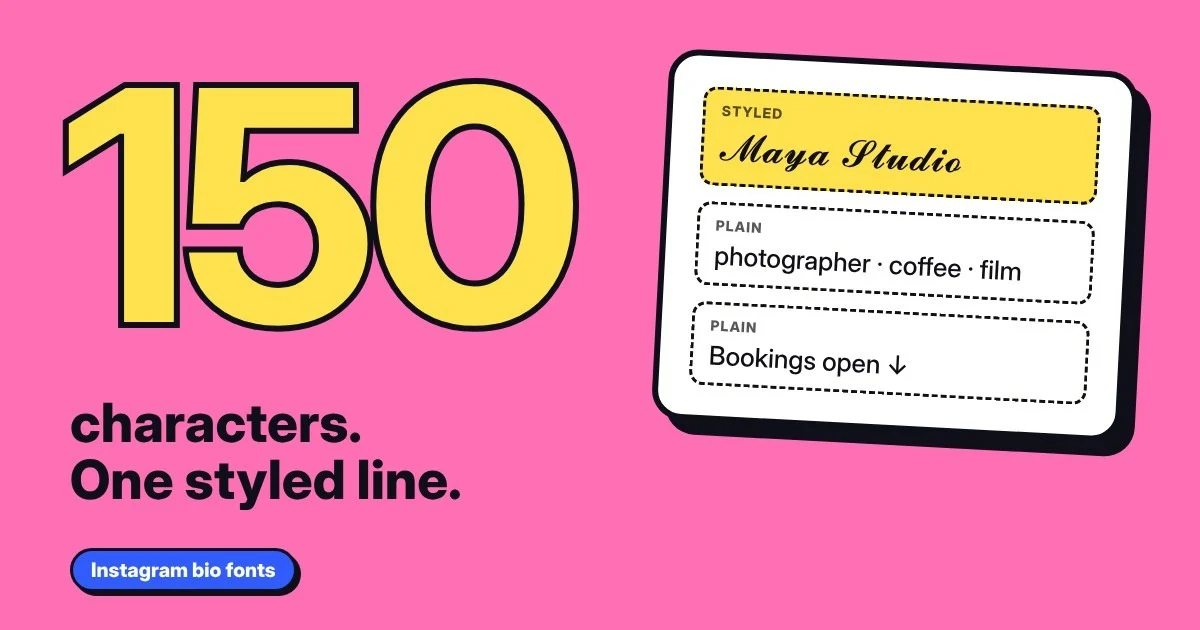
Treat fancy text like a decoration, not the message. A simple pattern is one styled line on top and plain text for everything people need:
- Line 1Your name or a short tagline in a fancy style, such as 𝓜𝓪𝔂𝓪 𝓢𝓽𝓾𝓭𝓲𝓸.
- Line 2What you do, in plain text: photographer, baker, student, whatever it is. This is the part people search for.
- Line 3Your call to action or link text, in plain text.
Why Does Fancy Text Show Boxes on Instagram?
An empty box (□) means the viewer's device doesn't have a font covering that character. It is most common on older phones, and it's the viewer's device that matters, not yours. A bio that looks perfect on your phone can show boxes on a friend's.
Screen readers can also struggle with styled letters and may skip them or read out their character names. Our guide on whether fancy fonts are accessible explains what that means in practice. The short version: keep anything important in plain text.
Quick Tips for a Bio That Works
- Style one line, not the whole bio. It reads better and leaves room within the 150 characters.
- Keep your keywords plain. Words you want people to find or understand should be ordinary letters.
- Pick one style. Mixing several makes a bio hard to read.
- Check on a second phone before you rely on it.
- Keep a plain version of your bio saved so you can switch back in seconds.
FAQs
Can you change the font in your Instagram bio?
Not the font itself. Instagram uses its own typeface and has no font setting. You can paste in fancy text from a generator, which uses Unicode characters that look like a different font.
How do I get a fancy font in my Instagram bio?
Type your text into a fancy text generator, click the style you like to copy it, then open Edit profile in Instagram and paste it into your bio. No app or download is needed.
How many characters can an Instagram bio have?
Instagram's help page says a bio can be up to 150 characters. After you paste fancy text, check that the whole bio still fits and nothing is cut off.
Can I use fancy fonts in my Instagram username?
Usernames follow stricter rules than the bio, so check Instagram's help pages before relying on fancy text there. Plain letters are the safe choice for a username.
Why does my Instagram bio show boxes?
The viewer's device doesn't have a font for those characters. It is more likely on older phones. Try a simpler style, or keep the important words in plain text.
Do fancy fonts hurt search or reach on Instagram?
We can't say how Instagram treats styled characters in search or recommendations. Styled letters are different characters from plain ones, so keep the words people would search for, such as your name or what you do, in plain text.
Final Thoughts
Instagram can't change its font, but a pasted style can give your bio some personality. Use it on one short line, keep your name, keywords and links in plain text, and look at the result on a second phone. You get the style without making your profile harder to read or find.