WhatsApp Fonts: How to Bold, Italicize and Use Fancy Text
Oct 14, 2026. WhatsApp Business 2.26.40.73 on Android 15 (ELA-LX2). We tested one fancy style (double-struck). Other styles, devices and regular WhatsApp may behave differently.
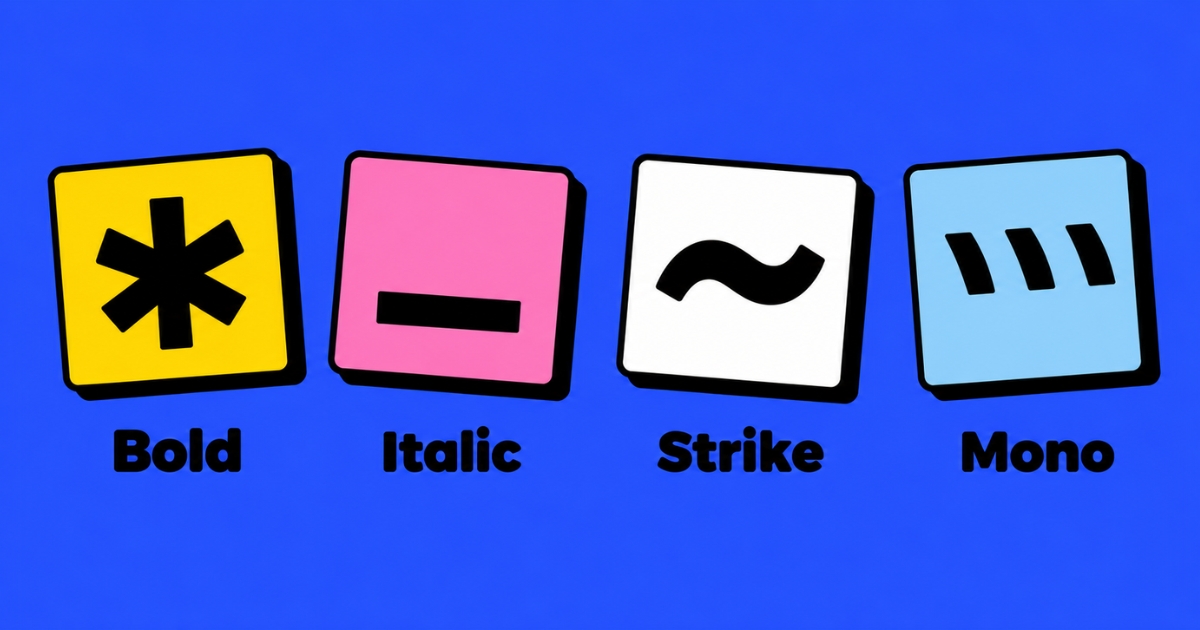
WhatsApp has built-in formatting: put *asterisks* around text for bold, _underscores_ for italic, ~tildes~ for strikethrough and three backticks for monospace. You can't change WhatsApp's font itself. For a different look, a generator swaps your letters for Unicode characters you can paste into chats, but they are not real fonts.
- WhatsApp has one font. You can format text with symbols or the formatting menu, but you can't pick a new typeface
- Native formatting keeps your letters as real letters. Fancy text replaces them with different characters
- Use native formatting for messages people need to read, search or translate. Use fancy text for decoration, such as a name or a short line
- Fancy text can show as empty boxes on older devices
Most people searching for "WhatsApp fonts" want one of two things: to make a word bold in a chat, or to make a name or About line look 𝓼𝓽𝔂𝓵𝓲𝓼𝓱. WhatsApp does the first by itself. The second needs a generator. They work in completely different ways, and mixing them up is where most problems start.
Can You Change the Font in WhatsApp?
Not the typeface itself. WhatsApp displays messages in its own font on your phone, and you can't swap it for another one inside the app.
What you can do is format the text. WhatsApp reads a few symbols you type around your words and turns them into bold, italic and other styles. Or you can paste in characters from a fancy text generator that look like a different font. Those are two different things, covered below.
How Do You Bold, Italicize or Strike Through Text in WhatsApp?
Type a symbol on both sides of the words you want to style. WhatsApp applies the formatting when you send the message.
| Style | What you type | Result |
|---|---|---|
| Bold | *text* | text |
| Italic | _text_ | text |
| Strikethrough | ~text~ | |
| Monospace | ```text``` (three backticks) | text |
Use the formatting menu instead. On a phone, press and hold the word and a menu appears. On Android, Bold shows first and the other options sit behind the three-dot button. On iPhone, look for the Format option (older guides call it BIU). The menu name and position can differ by phone and app version. The menu adds the symbols for you, which is handy for monospace because the backtick key is often hidden on phone keyboards.
Combine styles. You can usually stack bold, italic and strikethrough, for example *_text_* for bold italic. Monospace is the exception and generally doesn't combine with the others. On our test phone, *_Hello_* showed as bold italic and ~*Hello*~ showed as bold with strikethrough.
What About Lists, Quotes and Code?
WhatsApp's help page also lists newer formats:
| Format | What you type |
|---|---|
| Bulleted list | * text or - text at the start of each line |
| Numbered list | 1. text at the start of each line |
| Quote | > text |
| Inline code | a single backtick on both sides, `text` |
The help page notes that some of the newer formatting isn't available on every app yet, so check the platform tab on WhatsApp's formatting help page if a format doesn't show up. We tested these on the same phone. A dash at the start of a line became a bullet, a numbered line became a numbered list, the quote showed a vertical bar (also on WhatsApp on a computer), and inline code showed in a monospace font with a grey box. We did not test the asterisk bullet.
What Is Fancy Text on WhatsApp?
Fancy text isn't WhatsApp formatting and it isn't a font. A generator swaps each letter you type for a different Unicode character that happens to look styled, such as 𝓜𝓪𝓻𝓲𝓪 (script) or 𝗠𝗮𝗿𝗶𝗮 (bold sans). Because those are ordinary characters, they paste into a WhatsApp chat like any other text, with no app or download.
The catch is that, to a computer, 𝓜 is not the letter M. It is a separate character. Our guide to how a name font generator works explains the Unicode behind it, and our post on whether fancy fonts are accessible covers what that means for screen readers and search.
Native Formatting vs Fancy Text: What Is the Difference?
| Native formatting | Fancy text | |
|---|---|---|
| How you get it | Type symbols or use the menu in WhatsApp | Copy from a generator, paste into WhatsApp |
| What the letters are | Real letters with formatting applied | Different Unicode characters |
| Styles available | Bold, italic, strikethrough, monospace, plus lists, quotes and code | Dozens: script, gothic, bubble, small caps and more |
| Screen readers | Letters stay letters, so they should read normally | May be skipped or read by character name |
| Search and translation | Should match as normal text | May not match plain-text searches |
| Older phones | Built into the app, so it does not depend on device fonts | May show empty boxes |
| Best for | Messages people need to read and act on | A name, a nickname or one decorative line |
Where Does Fancy Text Work on WhatsApp?
Fancy text is just text, so it can go anywhere you can paste text. Here is what we found when we tested double-struck text on one Android phone.
| Place | Fancy text | Native formatting |
|---|---|---|
| Chat messages | Worked | Worked |
| About | Worked | Not tested |
| Business name (WhatsApp Business) | Worked | Not tested |
| Group name and description | Worked in both | Not tested |
| Photo captions | Worked | Not tested |
WhatsApp is also rolling out optional usernames in phases, and the rules for what characters they accept may change, so check WhatsApp's own help page before relying on this. Plain letters are the safe choice for anything people need to find, copy or type back.
Why Does Fancy Text Show Boxes on WhatsApp?
An empty box (□) means the viewer's device doesn't have a font covering that Unicode character. It is most common on older phones, and it's the viewer's device that matters, not yours. A name that looks perfect on your phone can show boxes on a friend's. Any fancy style can fail on an old device, so test with someone who uses an older phone if the text matters. Double-struck displayed fine on our Android 15 phone, but we did not test an older one. For a longer explanation, see our guide to why styled names show up as boxes.
Which Should You Use?
Ask: would anyone be worse off if this text disappeared or looked wrong?
- NativeAnything meant to be read, searched or acted on: prices, times, addresses, instructions, a word you want to stress. It works the same for everyone.
- FancyDecoration: a nickname, a short About line, a playful group name. Keep a plain-text version nearby.
- Skip itPhone numbers, links, order details and anything someone has to copy, search or have read aloud.
Quick checklist:
- Does the message need to be understood? Use native formatting or plain text.
- Is it just for looks? Fancy text is fine, in small amounts.
- Will someone search for it, copy it or hear it read aloud? Keep it plain.
- Look at it on a second phone before you rely on it.
FAQs
Can you change the font in WhatsApp?
Not the font itself. WhatsApp uses its own typeface. You can format text as bold, italic, strikethrough or monospace, or paste in fancy text from a generator, which uses Unicode characters instead of a real font.
How do I make text bold in WhatsApp?
Put an asterisk on both sides of the text, like *text*, and send. You can also press and hold the word and pick bold from the formatting menu.
How do I get fancy fonts on WhatsApp?
Type your text into a fancy text generator, click the style you like to copy it, and paste it into WhatsApp. No app or download is needed because the styles are Unicode characters.
Is fancy text the same as WhatsApp's bold and italic?
No. Native bold and italic keep your letters as real letters. Fancy text swaps them for different Unicode characters, which screen readers and search may not treat as the same letters.
Why does my fancy text show boxes on WhatsApp?
The viewer's device doesn't have a font for those characters. It is more likely on older phones. Try a simpler style, or use plain text for the part that must always show.
Can I use fancy text in my WhatsApp name or About?
Fancy text is ordinary Unicode text, so you can paste it into a field that accepts text, but not every field or app version displays it the same way. Paste it, check it on your own phone and on someone else's, and keep important details in plain text.
Final Thoughts
WhatsApp gives you real formatting for emphasis and fancy text for decoration. Reach for the built-in symbols when you want people to read, search or act on a message, and use fancy text as a finishing touch on a name or a single line. Keep the real message in plain text, and you get the style without the problems.